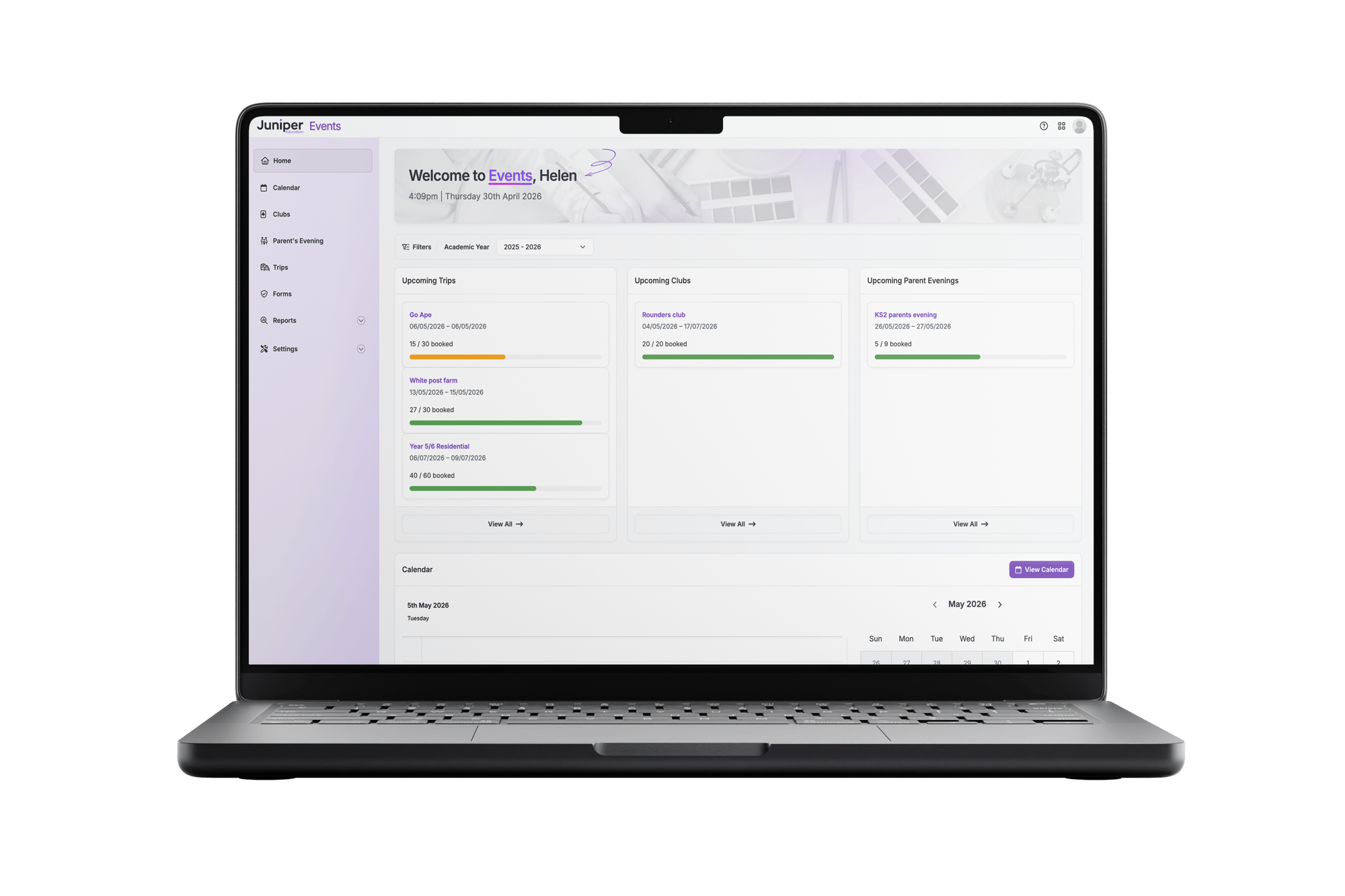
Juniper Events
Juniper Events enables schools to plan, manage and deliver school events end-to-end — simplifying school events, increasing engagement, and enabling enrichment for every child.
From setup through to parent engagement, bookings, payments and reporting, everything is managed in one place.
Whether it’s clubs, trips or parents’ evenings, Juniper Events brings staff and parents together in a single, streamlined workflow, helping reduce admin, save time and keep everyone informed.

What is Juniper Events?
Juniper Events is designed to help primary schools simplify school events, increase parent engagement and support enrichment for every child.
Schools can create and manage:
Clubs (e.g. sports and enrichment)
Trips (single or multi-day, with consent and data capture)
Parents’ evenings (including complex scheduling and SEN provision)
All events are delivered through a single, connected experience, linking school administrators, teachers and parents in one streamlined workflow.
By removing fragmented systems, manual processes and admin-heavy tasks, Juniper Events helps schools run events more efficiently while improving engagement and accessibility.
Designed for your whole school community
Helping staff manage events efficiently while giving parents a simpler way to engage.
School administrators
Create events and manage bookings, payments and logistics.
Teachers and staff
Deliver clubs, trips and parents’ evenings.
Senior leaders
Focus on enrichment, inclusion and parental engagement, while staying on top of finances.
Parents
A simple, centralised way to stay informed and take action.
Every detail taken care of with Juniper Events
Built by education experts and shaped around the realities of primary schools, Juniper Events reduces admin, improves parent engagement, and helps every child access enriching opportunities, all while taking the stress out of managing clubs, trips and events.
Clubs and enrichment made easy
Set up and manage clubs with a clear structure and full control:
- Create recurring clubs over a defined period (e.g. half-term blocks)
- Set capacity limits and manage availability
- Block booking model with payments
- Invite specific pupils and control which parents can book
- Assign staff to clubs
- Parent booking and payment via app (including multi-child booking)
Simple trip planning and management
Organise trips of any size with everything in one flow:
- Create single or multi-day trips
- Set capacity and pricing
- Attach custom forms (consents, medical info, permissions)
- Invite specific pupils and staff
- Parent booking, payment and form completion in one place
Flexible parents’ evening scheduling
Manage even the most complex schedules with ease:
- Create events for specific groups or the whole school
- Multiple dates per event
- Customisable time slots and durations
- Built-in break scheduling
- Fully editable teacher schedules
- SENCo appointment integration for inclusive support
- Multi-child booking for parents
Payments and reporting, built in
Keep track of finances and activity without extra admin:
- Secure payments via Stripe
- Supports offline payments
- Full transaction visibility
- Built-in refund handling
- Straightforward reconciliation
- Exportable reports (Excel)
Stay in control of your events
Make changes without disrupting your workflow:
- Update events after launch
- Add additional pupils post-invite
- Maintain control without restarting workflows
See Juniper Events in action
Take a look around and explore the Juniper Events for yourself.
Want to see more?
Book a short demo with our team to see how Juniper Events could work in your school or trust.
The joined-up approach to primary school event management
One login. One place. Everything working together.
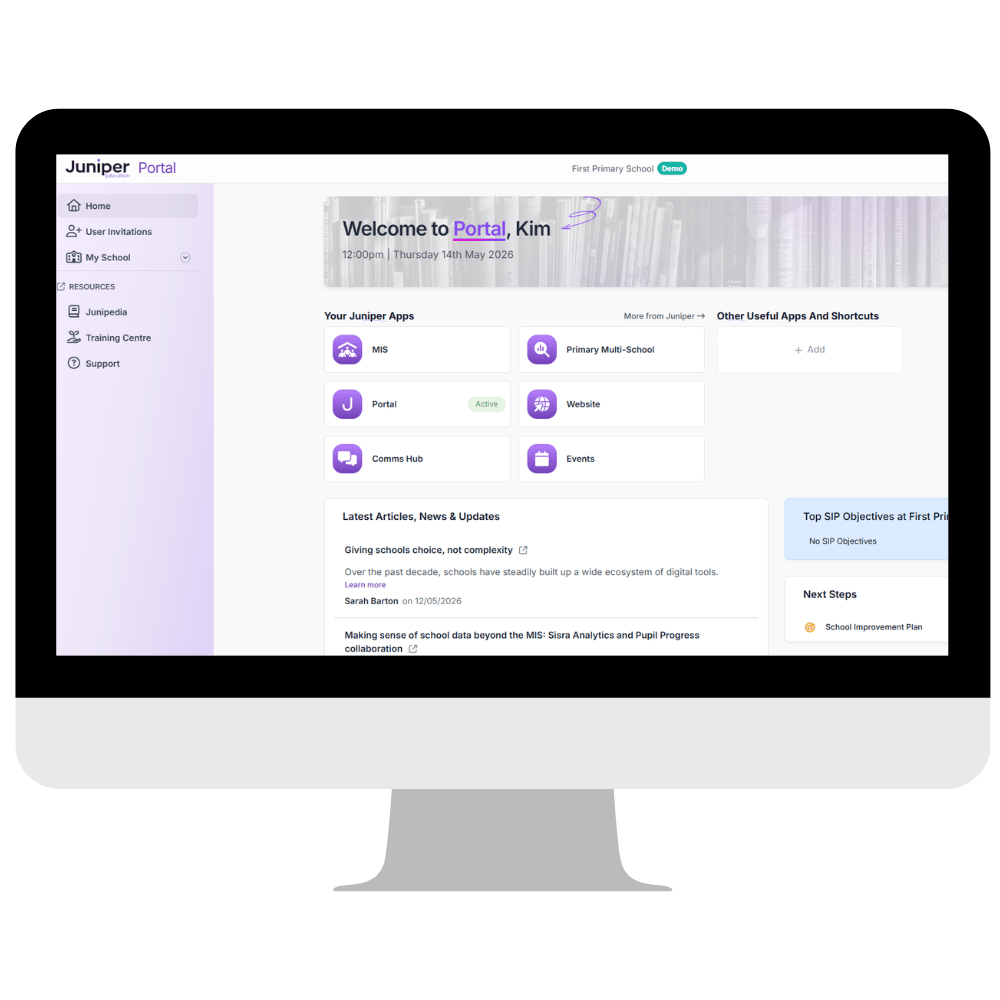
With Juniper Events, you will automatically gain access to the free JoinUp platform, giving schools a more connected way to manage systems, communication, and access.
From one central portal, schools can:
- Access to all other Juniper products with one login
- Manage users from your MIS staff records
- Bookmark additional tools for quick access
- View school improvement priorities to stay aligned with leadership goals
- Set up and link their Stripe account for payments
Everything you need to get started
With Juniper Events, schools also get:
- The JoinUp platform
- The Juniper Events web application
- The Juniper Education App for parent event management and teacher use
Find out more about Juniper's free centralised JoinUp platform that connects what matters: people, systems and services.

Frequently asked questions
Can trips be set up for more than one day?
Yes. trips can span multiple consecutive days. For multi-day trips, set the End Date to the final day.
For example, a three-day trip starting Monday, 1st July, should have a Start Date of 1st July and an End Date of 3rd July.
Can a form be used for multiple trips?
Forms are single-use. They cannot be used for multiple trips. When you require a form for a trip, you must create a new one.
How are invitations to clubs and trips handled when a parent doesn’t use the app?
When parents do not have access to the Juniper Education App, pupils should be invited to clubs and trips using Juniper Events; however, you should contact them offline, for example, by letter.
If a parent wants to enrol their child on a club or trip, they can reserve and pay directly with the school, for example, through the school office.
After reservations and payments are made, manually update the club or trip details in Juniper Events on behalf of the parents.
Is there a calendar for all school events?
Yes, there is a full calendar listing all events and trips that can be accessed from the Calendar page in Juniper Events.
Additionally, there is a calendar widget on Events Home where you can view your events or select View Calendar to open the Calendar page.
What’s the difference between 'Declined' and 'Uninvited' ?
Mark a pupil's status as 'Declined' when their parents refuse the invite sent to them, for example, because they don’t want their pupil to attend a trip or participate in a club.
A pupil’s status should be set as 'Uninvited' when the school withdraws a previous invitation, for example, for poor behaviour.
Can I view the finances for a single trip or club?
You can view the finances for a single trip or club from the Reconciliation report.
Additionally, you can track which pupils have paid and which haven’t on the Payments tab for the trip or club.
Which payment methods can I use for clubs and trips?
When setting up clubs and trips that require a parent to pay for their child's attendance, parents can pay online using the methods enabled through your school’s Stripe account and those supported by the provider for any third-party URL you use.
Additionally, parents can pay offline using cash.
Can parents pay for events by instalment (staged payments)?
Currently, parents cannot pay for clubs and trips in instalments in Juniper Events.
Are card payments refunded automatically if an event is cancelled?
Currently, card payments are not automatically refunded if an event is cancelled or a pupil is removed from an event. You must manually initiate the refund.
Start simplifying your school events today
Juniper Events helps schools bring parents into every part of school life while giving leaders the visibility and control they need.
- Clear, timely updates for clubs, trips and events
- One place for parents to respond, book and pay
- Fewer barriers to participation, supporting every child
- Simple reporting to track engagement and finances